Illustrated Walkthrough
Score Your Ad with Claude, Step by Step
This is the exact loop from a real session, screen by screen. Every score, curve, and quote below is what actually happened — we've redrawn the screens as clean illustrations so every detail is readable, and the video frames you see are real frames from the ad that was scored.
The whole loop in 18 seconds. Each step is broken down below.
Step 1 — Connect the MCP (once)
In Claude, open Settings → Connectors → Add custom connector. Name it PreTestAds, paste the server URL, hit Connect, and sign in with your PreTestAds account. That's the entire setup — you never do this again.
https://pretestads.com/mcp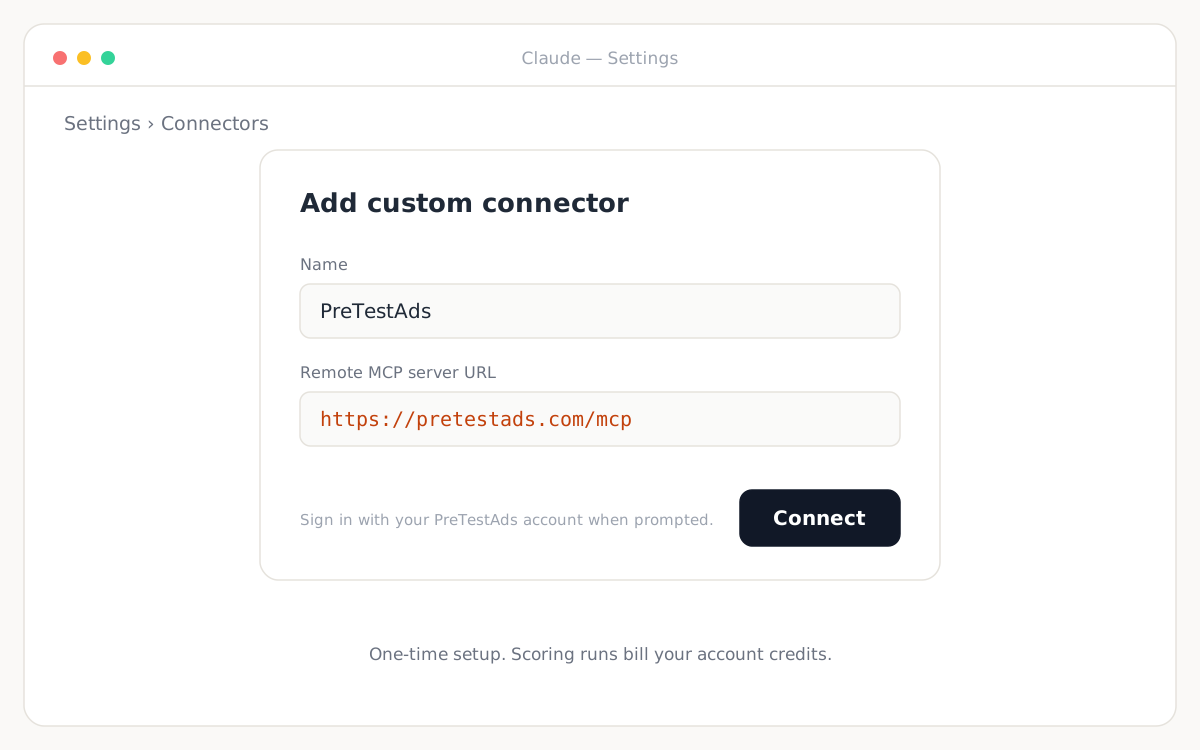
Step 2 — Ask, then drop your video in
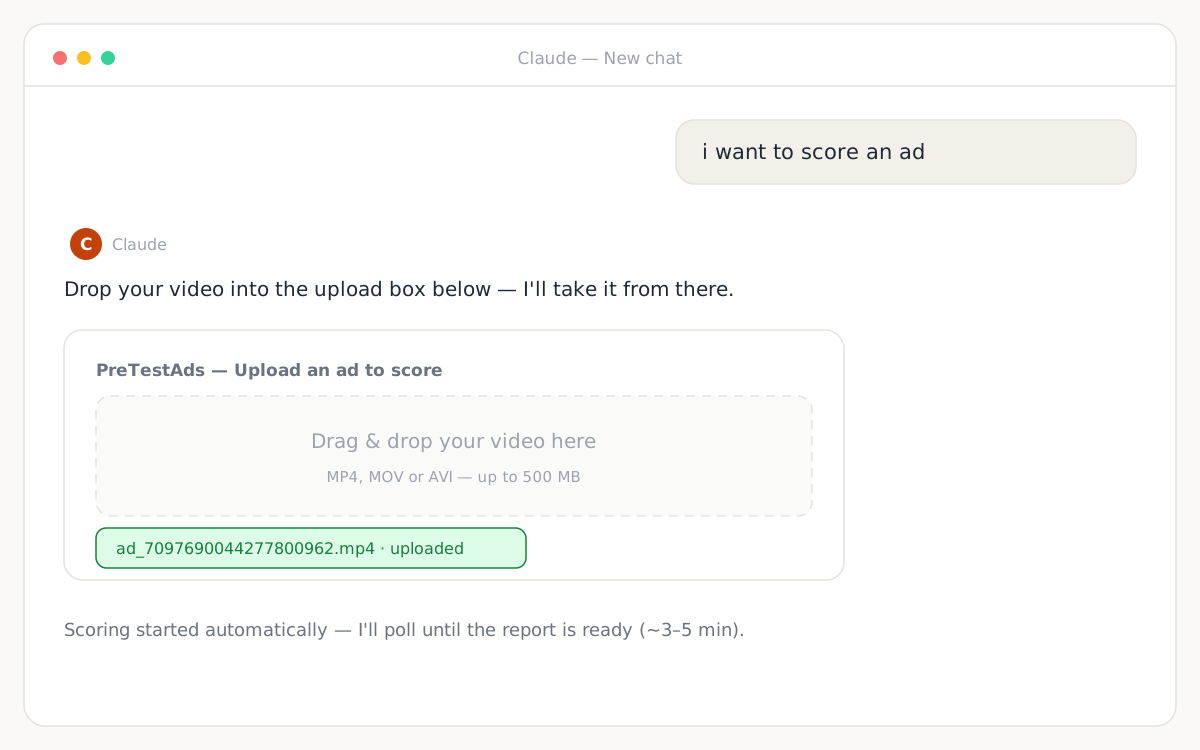
Open a chat and say what you want. In the real session it was five words:
i want to score an adAn upload box appears inside the conversation. Drag your video in (MP4, MOV, or AVI up to 500MB) — scoring starts the moment the upload lands, and Claude polls until the report is ready.
Step 3 — Read the score (and the curve)
About three minutes later, Claude reads back the full report. The test ad scored 47/100 — moderate: a strong 4-second peak and steady payoff, dragged down by a hook that hit literal zero at second 1.
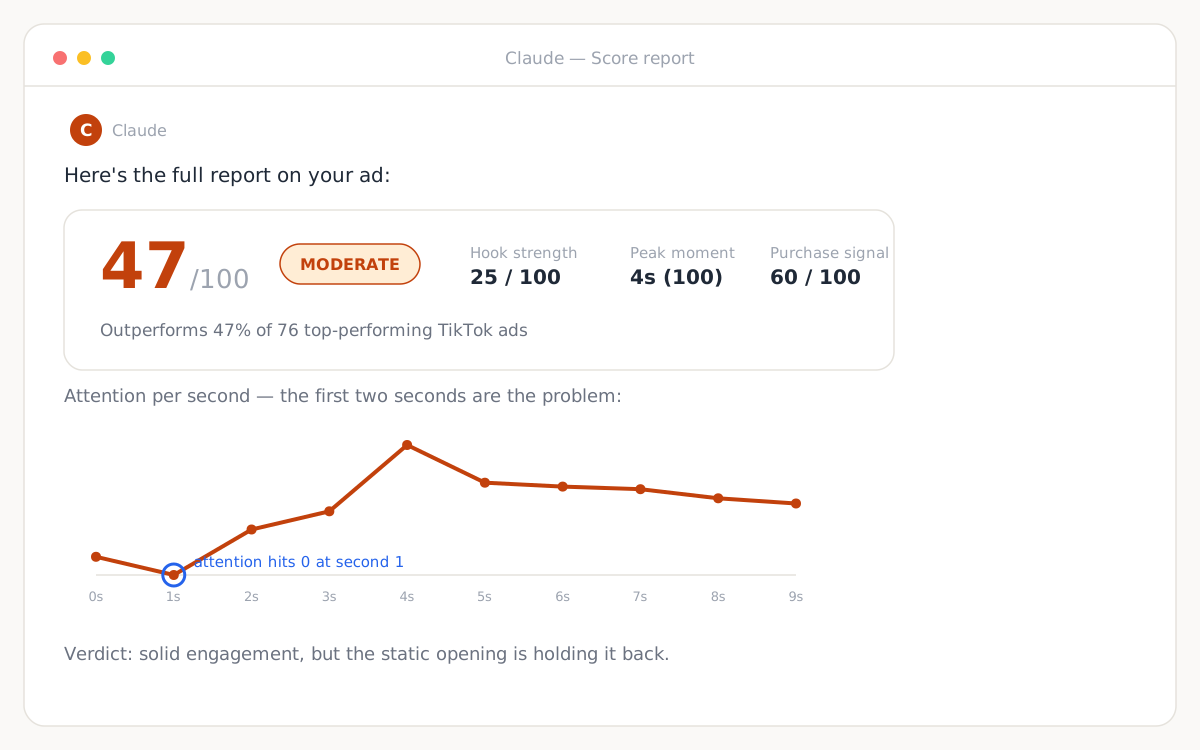
The attention curve, animated: slow build, huge install peak, long glowing payoff.
Step 4 — Let Claude watch the ad
This is the step no dashboard can do. Ask Claude to look at the footage and it calls get_ad_frames — one still per second, free — and maps what's on screen to the exact seconds where attention moves.
Watch it frame by frame and tell me exactly which second to fix.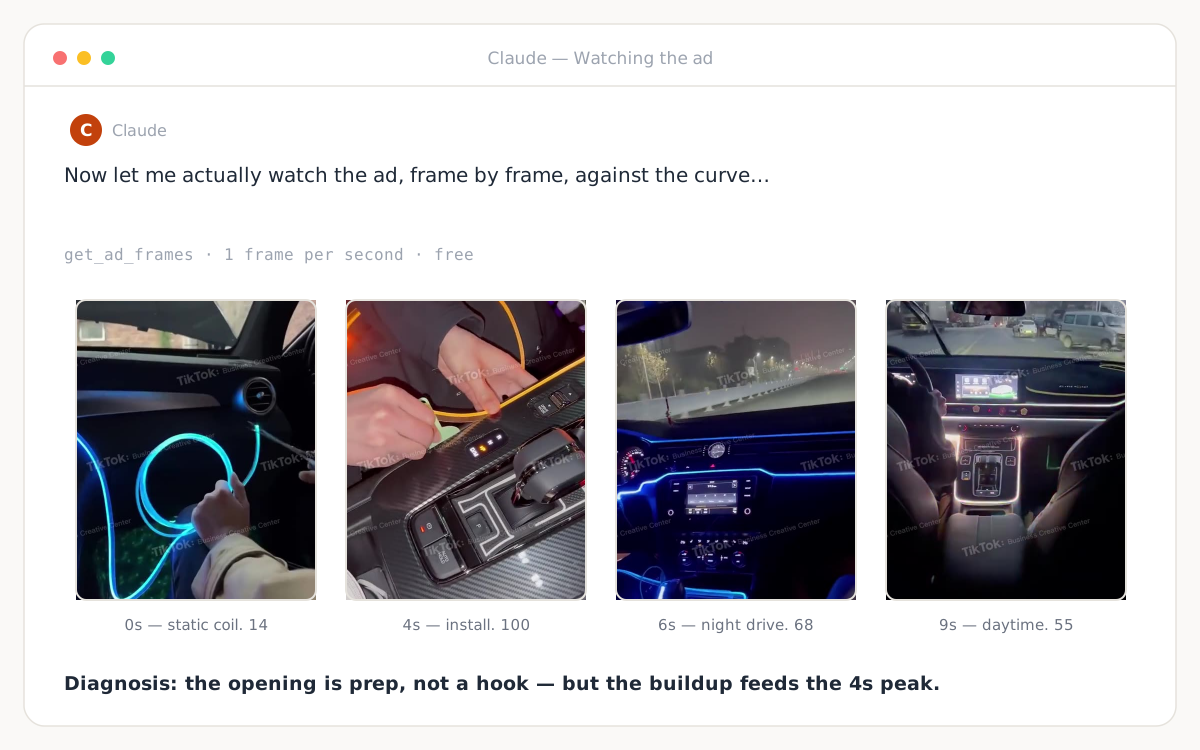
Step 5 — Iterate: re-cut, or generate new footage
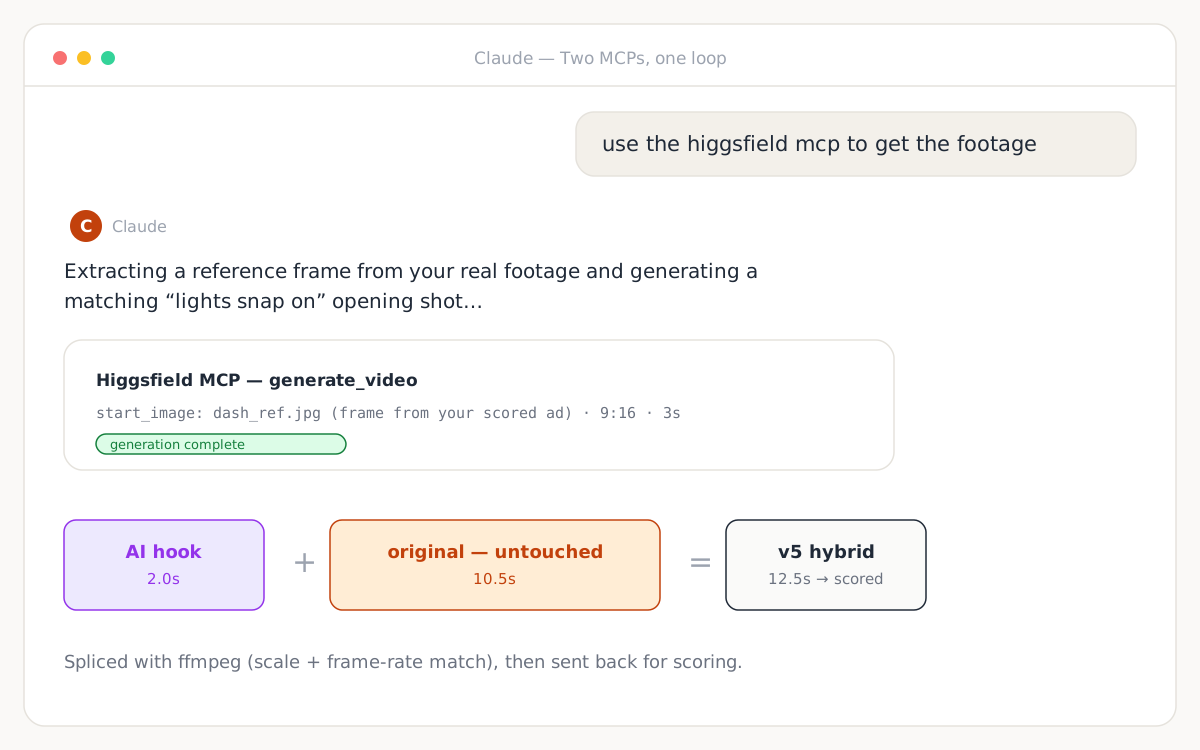
Claude can re-cut the file itself (it trimmed, re-ordered, and spliced with ffmpeg in the real session) — and with a generation MCP connected, it can create footage too. Here the user typed:
use the higgsfield mcp to get the footageClaude pulled a reference frame from the scored ad, had the Higgsfield MCP generate a matching "lights snap on" opening, spliced it onto the original, and sent the hybrid back for scoring. Each round costs one credit — the fast feedback is the whole point. The full prompting workflow, with templates, is in the Higgsfield iteration tutorial.
Step 6 — Let the number pick the winner
Six versions later, the scoreboard settled it: the untouched original beat every edit — including ones with objectively better hooks. Claude called it plainly and recommended shipping the original. The score is the referee, not the AI's confidence and not your gut.
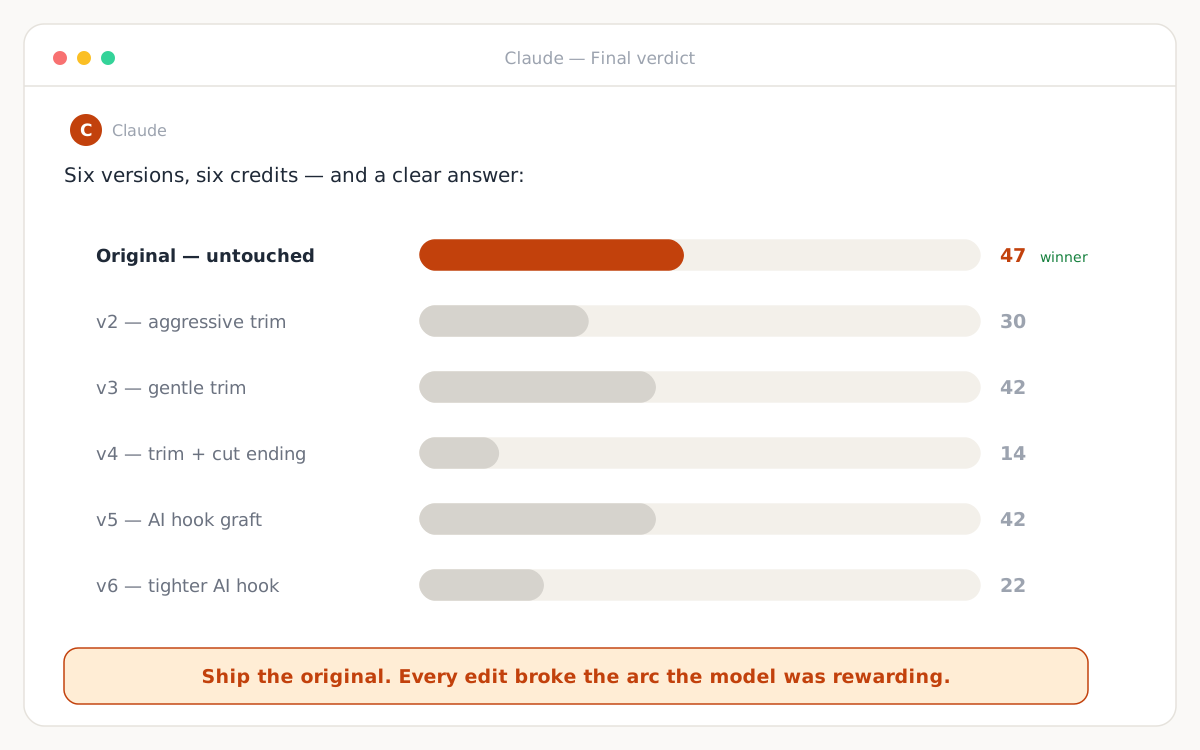
Why did every edit lose? The full data story — curves for every version, what improved, what broke — is in the case study.
Your turn: five words
Connect the MCP, type "i want to score an ad," and drop a video in.
Set Up the MCPNo account yet? Sign up — you start with up to 8 free credits.
Frequently asked questions
What do I type in Claude to score an ad?
With the PreTestAds MCP connected, just type 'i want to score an ad'. An upload box appears in the chat — drop your video in, and Claude polls for the score and reads the full report back to you in about 3–5 minutes.
Do I need to leave the chat at any point?
No. Uploading, scoring, reading the report, watching frames, re-cutting with ffmpeg, generating new AI footage, and re-scoring all happen inside one Claude conversation. The only clicks outside the chat are the one-time connector setup.
Are the screenshots on this page real?
They are designed recreations of a real session — every score, number, curve, and quote matches what actually happened, and the video frames shown are real frames from the ad that was scored. We redrew the screens as clean vector illustrations so every detail is readable.