Prompting Tutorial — From a Real Session
How to Prompt Higgsfield to Fix a Real Ad
Generating a pretty clip is easy. Generating a clip that belongs inside footage you already shot — same car, same lighting, same phone-camera feel — is a workflow. This is that workflow, taken from the real session where Claude used the Higgsfield MCP and the PreTestAds MCP together, with every prompt we actually used.
Step 1 — Anchor on a frame from your real footage
Don't generate from imagination — the clip will never match your ad. Instead, have Claude pull a still from the video you already scored and use it as the start image for image-to-video generation. Pick the frame that shows the world your new shot must live in. In our session that was the glowing night-drive dashboard at 6.5 seconds:
Extract the best-looking night-drive frame from my scored ad
and use it as the reference image for the new opening shot.
Because the generation starts from your pixels, it inherits your lighting, interior, color grade — in our run it even reproduced the original's watermark style. That continuity matters more than clip quality: the attention model punishes footage that doesn't belong.
Step 2 — Write the prompt: one beat, motion first
Here is the exact prompt from the session:
POV vertical shot inside a dark car at night. The dashboard is
unlit for a brief instant, then an LED ambient light strip along
the dash and doors suddenly snaps on with a vivid blue-purple
glow, light sweeping rapidly across the dashboard in a satisfying
color burst. Camera static, realistic phone-shot look.
Its anatomy, part by part:
"POV vertical shot inside a dark car at night" — matches the framing and orientation of the real footage. Say vertical/9:16 explicitly for TikTok-style ads.
"the LED strip suddenly snaps on" — exactly one transformation. Multi-event prompts produce mush; a single satisfying beat is what attention models reward.
"sweeping rapidly", "color burst" — verbs that force movement. Static prompts produce static clips, and static opening seconds score near zero.
"Camera static, realistic phone-shot look" — stops the model from going cinematic when your real footage is handheld UGC. Match the fidelity of what you shot.
The mistake we made (so you don't have to)
"The dashboard is unlit for a brief instant" became two full seconds of darkness in the generated clip — and those seconds scored 0 attention. Video models stretch your pauses. If you don't want a dead beat, don't write one: start the prompt at the action ("the LED strip is mid-snap, light already sweeping…").
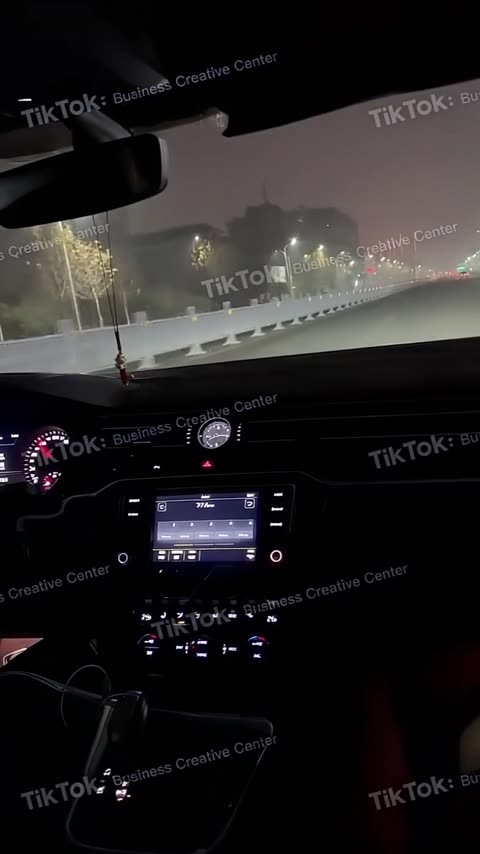
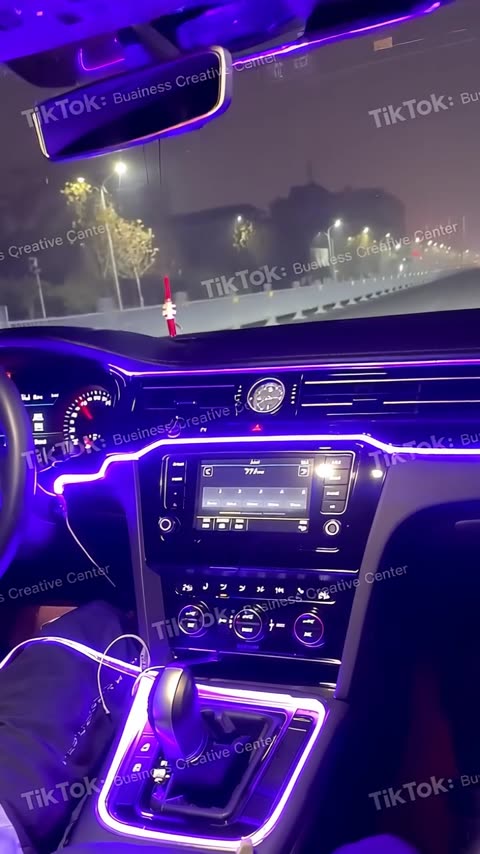
The generated clip: the dark beat (left) cost us; the snap payoff (right) matched the real footage almost perfectly.
Step 3 — Let Claude handle models (and plan walls)
You don't need to know the model zoo. In our session Claude asked for kling3_0_turbo, hit a "basic plan required" wall, tried seedance_2_0 — same wall — then fell back to happy_horse_video, which ran on the free tier. Before paying for an upgrade, just say:
That model needs a paid plan — try whatever image-to-video
model works on my current plan before I upgrade.
The budget model was plenty: 3 seconds, 720p, 9:16, generated in about two minutes — and the spliced result posted the best back-half attention numbers of the entire experiment.
Step 4 — Check the clip before you splice it
Have Claude look at the generated clip frame by frame first — it's free and takes seconds. Ours revealed the snap happened 1.2s in, with dead darkness before it. That told us exactly what to trim before grafting.
Look at the generated clip frame by frame. When exactly does
the snap happen, and is there any dead time before it?
Step 5 — Splice it in (Claude does the ffmpeg)
Claude matched resolution, frame rate, and audio, then concatenated the AI hook onto the untouched original — never onto an already-edited cut. Keep your original pristine and let every experiment branch from it:
Trim the AI clip to just the snap moment, graft it onto the
front of the untouched original, and score the new version.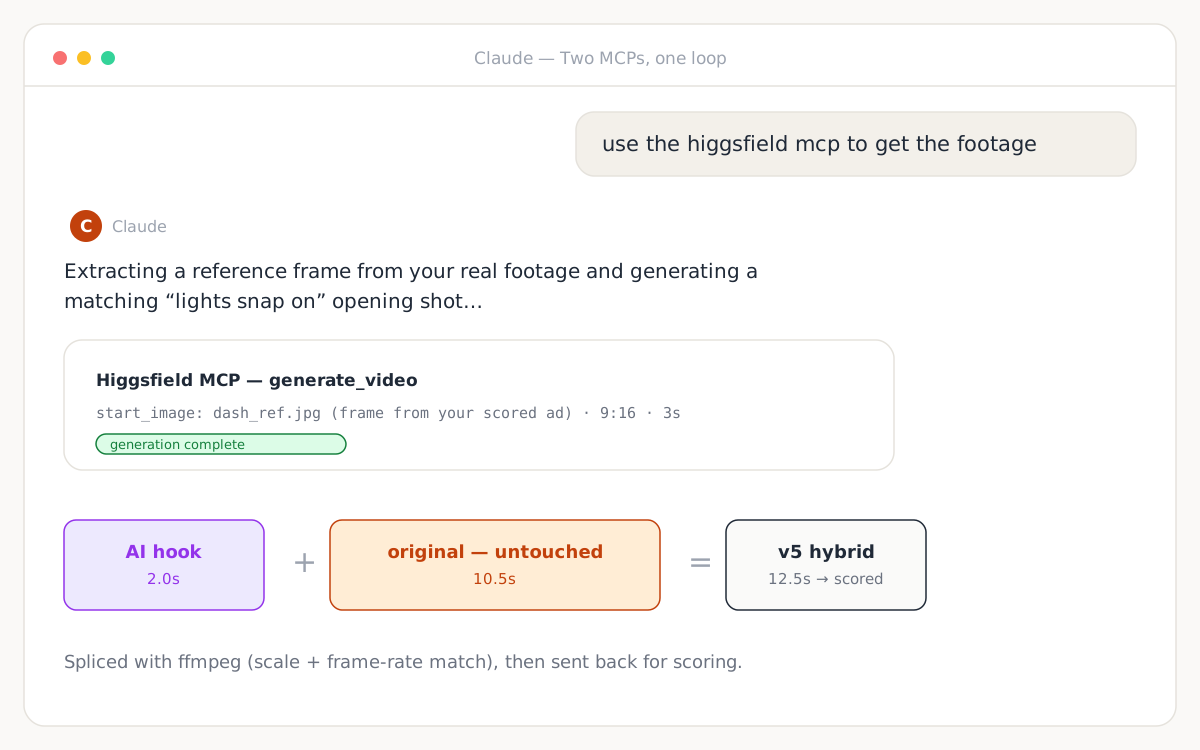
Step 6 — Re-score, read the seam, iterate
The hybrid scored 42 — and the curve pointed at the seam, not the AI footage: the dark beat opened at 0 attention while the back half hit its best numbers of the run (purchase signal 87). We cut the dark beat and re-scored: 22, because the now-instant jump from glowing dash to dark prep footage read as whiplash. Two iterations, two precise diagnoses, each costing one credit instead of a live campaign.
The iteration rules that fell out of the data: fix the seam, not the clip — the transition is almost always what the model punishes. Never remove the context that sets up your payoff. And when a version loses, believe the number: in our session the untouched original beat every hybrid, and that was the real finding. The loop's job isn't to prove your edit was right — it's to stop you shipping the wrong cut.
Three prompt templates to steal
Swap the bracketed parts. Each is one beat, motion-first, style-matched:
POV vertical shot, [your setting from the reference frame].
[Your product] is mid-[transformation] — [the effect] already
sweeping across [the surface]. Camera static, realistic
phone-shot look.
Vertical UGC-style shot, [setting]. A hand enters frame and
[single satisfying action: clicks/peels/snaps] the [product],
which instantly [visible payoff]. Handheld feel, natural
lighting, no cinematic grading.Start from the reference image. In the first half-second,
[the hero element] [bursts/lights/transforms], then the camera
holds as [the payoff state] settles. No dead frames before the
action.Run the loop yourself
Connect both MCPs, score your ad, and let the number referee every iteration.
Set Up the PreTestAds MCPNew here? Start with the step-by-step walkthrough.
Frequently asked questions
How do I make AI footage match my real ad footage?
Anchor the generation on a reference frame from your actual footage. Ask Claude to extract the strongest frame from your scored ad and pass it as the start_image for image-to-video generation. The model inherits your lighting, interior, and style — in our session the generated clip even matched the original's watermark placement and color grade.
What should an image-to-video prompt for an ad hook contain?
Four parts: the setting and camera POV, exactly one action beat (a snap, a reveal, a transformation), explicit motion in the first second, and style constraints like 'realistic phone-shot look'. Avoid dead beats — in our test, a two-second 'dark pause before the lights snap on' scored 0 attention and dragged the whole ad down.
What if the video model I ask for is locked behind a plan?
Ask Claude to try an alternative. In our session kling3_0_turbo and seedance_2_0 both returned a plan-required error, and Claude fell back to happy_horse_video, which ran on the free tier and produced a clip good enough that the spliced version posted the best back-half attention numbers of the whole experiment.
Why did the AI-hook versions still score below the original?
The seams. The generated footage itself scored well — the hybrid's back half hit a purchase signal of 87–94 — but the model punished the cut points: a dark beat before the snap read as nothing happening, and a hard cut from a glowing dash back to prep footage read as a broken promise. The lesson is to iterate on the seam, and let the score referee every version.